

Still deciding? Your welcome offer is ready to claim.
Welcome bonus
Claim Bonus
18+. T&Cs apply. Play responsibly.
Herospin payment methods
The cashier supports Mastercard, Visa, Neosurf, Utorg PSCD, Utorg SCRL, Utorg NTRL, Cash2Code, Jeton, MiFinity and Bitcoin; the minimum deposit is $30.
Welcome bonusWelcome bonus
Herospin accepts deposits by Mastercard, Visa, Neosurf, Utorg PSCD, Utorg SCRL, Utorg NTRL, Cash2Code, Jeton, MiFinity and Bitcoin, with a minimum deposit of $30. Choose an available method in the cashier to start a deposit or request a withdrawal, and check the displayed options before confirming.
Under Australia’s Interactive Gambling Act 2001, operators may not offer online casino games to players in Australia; ACMA blocks offshore casino sites, and players themselves are not fined.
| Method | Processing time |
|---|---|
| Mastercard | 1-3 business days |
| Visa | 1-3 business days |
| Neosurf | Instant |
| Utorg PSCD | 1-3 business days |
| Utorg SCRL | 1-3 business days |
| Utorg NTRL | 1-3 business days |
| Cash2Code | 1-3 business days |
| Jeton | Instant |
Herospin payment methods include bank card, prepaid, digital payment and cryptocurrency options. Choose an available method in the cashier, check the amount and currency shown before confirming, and use the same account details when arranging a payout where the cashier allows it. AUD is one of the currencies offered, and the minimum deposit is $30.
The payment options are Mastercard, Visa, Neosurf, Utorg PSCD, Utorg SCRL, Utorg NTRL, Cash2Code, Jeton, MiFinity and Bitcoin. Availability can depend on the cashier options shown for your account, so select a method from that list before entering a deposit amount.
Before confirming, review the payment screen for the selected method, the currency and the amount you intend to send. Keep the payment confirmation or transaction reference until the deposit appears in your casino balance. If a payment is declined or the balance does not update, contact support with the method used and the transaction details.
Open the cashier after signing in and select one of the available methods. Enter an amount that meets the $30 minimum, check the currency and payment details, then confirm the transaction using the instructions shown for that method.
For a card payment, check that the card details and account name are correct before submitting. Prepaid and digital payment options may use a separate provider screen or require a payment reference. Follow the steps displayed during checkout and avoid submitting the same payment again while the first transaction is still pending.
| Payment stage | What to check |
|---|---|
| Before depositing | Method, amount and currency |
| After submitting | Payment confirmation or reference |
| Before requesting a payout | Account verification and payout details |
Open the cashier and choose the withdrawal option to see which payout methods are available for your account. Enter the amount and destination details carefully, then review the request before submitting it.
Where possible, use the same payment method for deposits and withdrawals. A cashier may require a payout to go back through the original method, while other available options may depend on the account and transaction. Check the choices shown before sending a request, and save its confirmation or reference so support can locate it if needed.
Account checks help confirm your identity and that the payment method belongs to you. Before a first withdrawal, be ready to provide identity and address documents, and proof that you control the card or payment account used. The casino may request clear, current documents through the account verification process.
Submit documents only through the casino’s account or verification channel, and make sure the information matches your account and payment details. If a document is rejected, read the reason given and provide a clearer or corrected copy. Complete any requested checks before expecting a payout request to proceed.
If a deposit leaves your payment account but does not appear in your balance, check its status with the payment provider and keep the transaction reference. Then contact Herospin support through live chat or email, providing the method, amount, date and reference. Do not send another payment until you understand the first transaction’s status.
For a payout that seems delayed, open the account and check whether the request is still pending or whether verification is required. Contact support with the withdrawal reference and ask if any further action is needed. No payout timeframe is stated here, so avoid treating a particular number of hours or days as a promise.
Herospin is operated by NovaForge Ltd and holds a licence from the Anjouan Betting and Gaming Commission, also referred to as the Anjouan Gaming Board. This is not an Australian licence. Under the Interactive Gambling Act 2001, operators may not offer online casino games such as pokies, roulette and blackjack to people in Australia; ACMA blocks offshore casino sites, and players themselves are not fined.
Gambling Help Online can be reached on 1800 858 858 or at gamblinghelponline.org.au. BetStop is the national self-exclusion register for licensed wagering.
Which payment methods can I use? The cashier offers Mastercard, Visa, Neosurf, Utorg PSCD, Utorg SCRL, Utorg NTRL, Cash2Code, Jeton, MiFinity and Bitcoin. Choose from the options shown when you open the cashier, as the available choices can vary by account or transaction. Check that the selected method suits the deposit or payout you are making.
What is the minimum deposit? The minimum deposit is $30. Select your payment option and enter an amount at or above that minimum before confirming. The amount and currency displayed on the payment screen should match what you intend to send.
Can I make payments in Australian dollars? Yes, AUD is among the currencies supported by the casino. Choose AUD in the cashier if it is available for your selected method, and check the final payment details before submitting. Your payment provider may also show transaction details during checkout.
Why is verification requested before a withdrawal? Identity and payment checks help confirm who owns the account and the payment method. You may be asked for identity and address documents, as well as evidence that you control the payment method. Follow the verification request attached to your account and submit the requested documents through the appropriate channel.
What should I do if a deposit is not credited? Check the payment provider’s status and keep the transaction reference. Contact live chat or email with the payment method, amount, date and reference so support can trace it. Avoid repeating the transaction while the original payment is unresolved.
What should I do if a withdrawal is taking longer than expected? Check the request status in your account first, including whether verification or another action is pending. Contact support with the withdrawal reference and ask what is needed to progress the request.
| Payment detail | Herospin |
|---|---|
| Operator | NovaForge Ltd |
| Minimum deposit | $30 |
| Available currency | AUD |
| Support channels | Live chat and email |
Choose a option in the cashier: Mastercard, Visa, Neosurf, Utorg PSCD, Utorg SCRL, Utorg NTRL, Cash2Code, Jeton, MiFinity or Bitcoin.
Select AUD as the currency and enter a deposit of at least $30.
Before your first withdrawal, complete identity verification by providing the documents requested to confirm your identity and payment details.
Submit your withdrawal request through the cashier; if it is delayed, contact Herospin support by live chat or email.
Herospin accepts several card, voucher, e-wallet and cryptocurrency payment methods, with a $30 minimum deposit. Check the cashier for the methods available to your account and follow its prompts when making a payment.
Herospin accepts Mastercard, Visa, Neosurf, Utorg PSCD, Utorg SCRL, Utorg NTRL, Cash2Code, Jeton, MiFinity and Bitcoin for payments. Open the cashier and choose from the methods available for your account. Enter the payment details requested for the selected method and follow the on-screen steps to submit the transaction.
The minimum deposit at Herospin is $30. Choose a payment method in the cashier and enter an amount that meets this minimum. The cashier displays the available options for your account when you start a deposit, so check there before submitting your payment.
Yes, AUD is one of the currencies supported by Herospin. The casino also supports USD, EUR, PLN, NOK, CAD, INR, HUF, CZK, VND, NZD, BRL, CLP, KRW, ZAR, PEN, CHF, IDR, MYR, NGN, PHP, SGD and THB. Select AUD in the cashier if it is available for your account.
To request a Herospin casino withdrawal, sign in to your account and open the cashier’s withdrawal option. Choose an available method and enter the amount requested. Complete any verification prompts before submitting the request, then contact live chat or email if you need help with the process.
Herospin may ask you to verify your identity before the first payout. Casinos commonly request identification and documents that confirm your address or payment ownership, so they can check that the account and transaction belong to you. Follow the instructions shown during verification and provide clear, current documents.
If a Herospin payout seems delayed, contact the casino through live chat or email and provide your account details and withdrawal reference, if one is shown. Ask whether the request needs further action or verification. Under Australia’s Interactive Gambling Act 2001, operators may not offer online casino games to players in Australia; ACMA blocks offshore casino sites, and players themselves are not fined.
Gambling should be entertainment, not a way to earn money. Set deposit limits, take breaks, and stop when it is no longer fun.
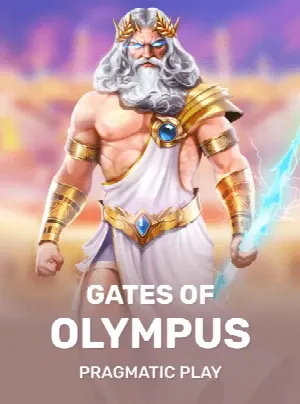 Gates of OlympusPragmatic PlayBonus buyRTP96.5%
 Coin Win Express: Hold The SpinGamzixBonus buyRTP96%
 Wild Cash x9990BGamingBonus buyRTP96.1%
 True Golden SlotTrueLabJackpotsBonus buyRTP94.21%
 5 Mega Thunder Coins RUNNING WINSFugasoJackpotsBonus buyRTP96.11%
 Big Bass Trophy CatchPragmatic PlayBonus buyRTP96.5%
Welcome bonus
Spin once for a tip from the lobby: an offer to claim or a game to try today.
Still deciding? Your welcome offer is ready to claim.